What is the CWES?
The HTB Certified Web Exploitation Specialist (CWES) is a hands-on, intermediate-level certification for web application pentesting and bug bounty hunting. Nobody's asking you to look up a CVE and call it a day. You have to find the attack surface that isn't sitting in plain sight, chain a few small bugs into something that actually matters, and then write it up well enough that a client would take it seriously.
Prerequisites
You have to finish the Web Penetration Tester path on HTB Academy first. There's no way to register for the exam without it.
On top of that, you need to buy an exam voucher for $252 (VAT included). It gives you 2 attempts and stays valid for 1 year after purchase.
Exam Format
You get 7 days for the CWES, enough time to compromise the targets and write up your report. It all happens in one continuous window, so managing your time well matters more than you'd think.
The passing score is 80/100, made up of your technical findings and how good your report is. The report actually counts here, it's graded against real criteria and can make or break your score.
If you fail but still turn in a solid report, HTB gives you a free retake within 14 days. One more reason not to half-ass the write-up.
Preparation
How to Study
I went through the official HTB CWES track, which covers most of what shows up on the exam. Instead of blasting through the modules once, I redid the Skills Assessments a few times until the concepts actually stuck, not just the steps I'd memorized.
I also went through PortSwigger Web Security Academy on the side. It's free, it's excellent, and seeing the same vulnerability classes explained from a different angle helped a lot.
Note-Taking
I kept all my notes in Notion throughout prep: payloads I ran into, links to tools and wordlists, anything I figured I'd want again later.
That paid off more than I expected once I was in the exam. Instead of googling under pressure, I just pulled up my own cheatsheets and kept moving.
Exam Day
Organization & Setup
Tooling-wise I stuck with whatever the Web Penetration Tester path already teaches, nothing fancy. Burp Suite did most of the heavy lifting. Community edition is plenty to pass, Pro is just more comfortable.
The one habit that mattered most: I logged everything. Every command, every output, every response. The idea was to have so much evidence sitting around that writing the report later would be close to a copy-paste job. Screenshots, raw requests, terminal output, none of it got deleted.
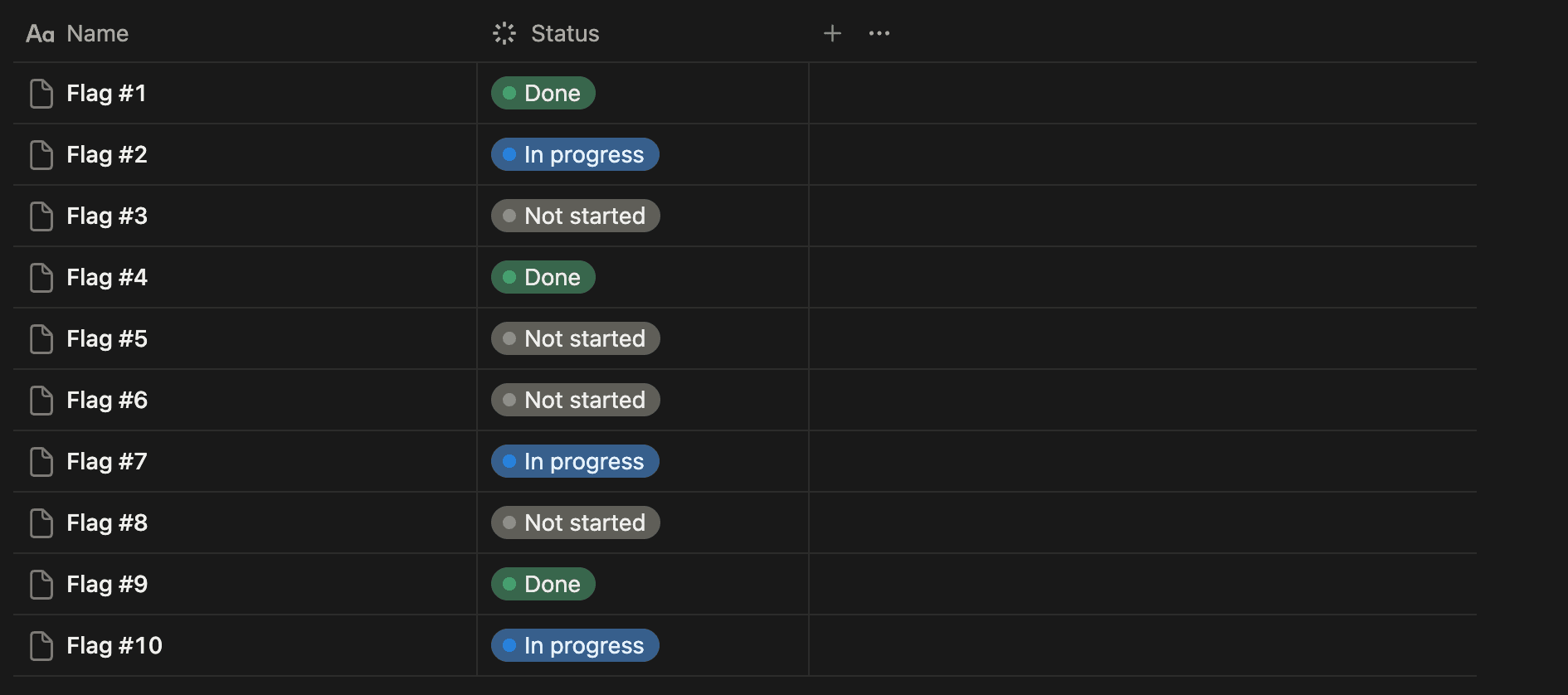
I also built a Notion database with one entry per flag to track progress. It kept things organized and gave me a quick snapshot of where I stood at any given moment.
Walkthrough
The exam felt realistic. You can't just point a scanner at it and hope, you actually have to sit with what's in front of you and figure out why it's behaving that way. I ran it like a normal workday, lunch break included, and shut my laptop around 10 PM most nights so I wasn't a zombie by day three.
- Day 1: 4 flags
- Day 2: 5 remaining flags
- Day 3: proofread the report, fixed a few things, submitted it
When I got stuck, I had a few tricks: write up the findings I already had, switch to a different target and come back to the blocker later, or just walk away for a bit. That last one bailed me out more than once.
One thing I'll admit: on the last flag, I had the whole exploitation chain figured out on paper but ran out of time to actually pull it off. Personal stuff pulled me away from the keyboard around the 48h mark, right before I could close it out.
Writing the Report
For the actual write-up, I grabbed the official CWES template from SysReptor and didn't touch its structure, the examiners built it around what they want to see, so fighting it would've been pointless.
Don't just tack a list of findings onto the end of the exam window. Somebody has to read this and redo what you did, step by step, without you sitting next to them. A few things made that easier:
- Over-evidence everything. Screenshots, raw requests, command output, responses. If you're on the fence about including something, include it.
- Caption everything. Every screenshot and command block should say what it's showing, so the reader isn't hunting through paragraphs to figure it out.
- Show more than one angle. Burp Suite is fine, but pairing it with the equivalent cURL command helps a lot, whoever reproduces your finding might not touch Burp at all.
- Write down the dead ends too. If you tested something and found nothing, say so and explain what you tried. It shows you were thorough instead of just skipping things you couldn't crack.
The habit that saved me the most pain: I wrote up each finding right after capturing the flag, while it was all still fresh in my head. By the time the 48-hour window closed, the report was mostly done.
Tips & Advice
- Write as you go. Don't save it all for the end. Documenting a flag the moment you get it keeps the details sharp and spares you a miserable last-minute scramble.
- Take breaks. Grinding on the same wall for hours doesn't get you anywhere. Step away, get some air, come back fresh. It works.
- Slow down on recon. Most of my blockers came from rushing through recon and missing something that was right there. Read everything carefully and don't assume.
- Keep your resources within reach. Your own cheatsheets save time, and there's no shame in keeping HTB Academy open for a quick refresher when you need one.
- The report is what gets graded. Flags just get you in the door, the report is what the examiner actually reads. Put the effort in.
- When in doubt, write it down. Note everything, even the stuff that seems pointless at the time. You won't always know in advance what ends up mattering.